
Can ATS Read PDF Resumes? (PDF vs. Word/DOCX for ATS in 2026)
If you have ever hovered your cursor over the file upload button on a job application, wondering whether to upload a PDF or a Microsoft Word (.docx) file, you are not alone.
For years, well-meaning career blogs told job seekers: "Never submit a PDF. ATS robots can only read Word documents."
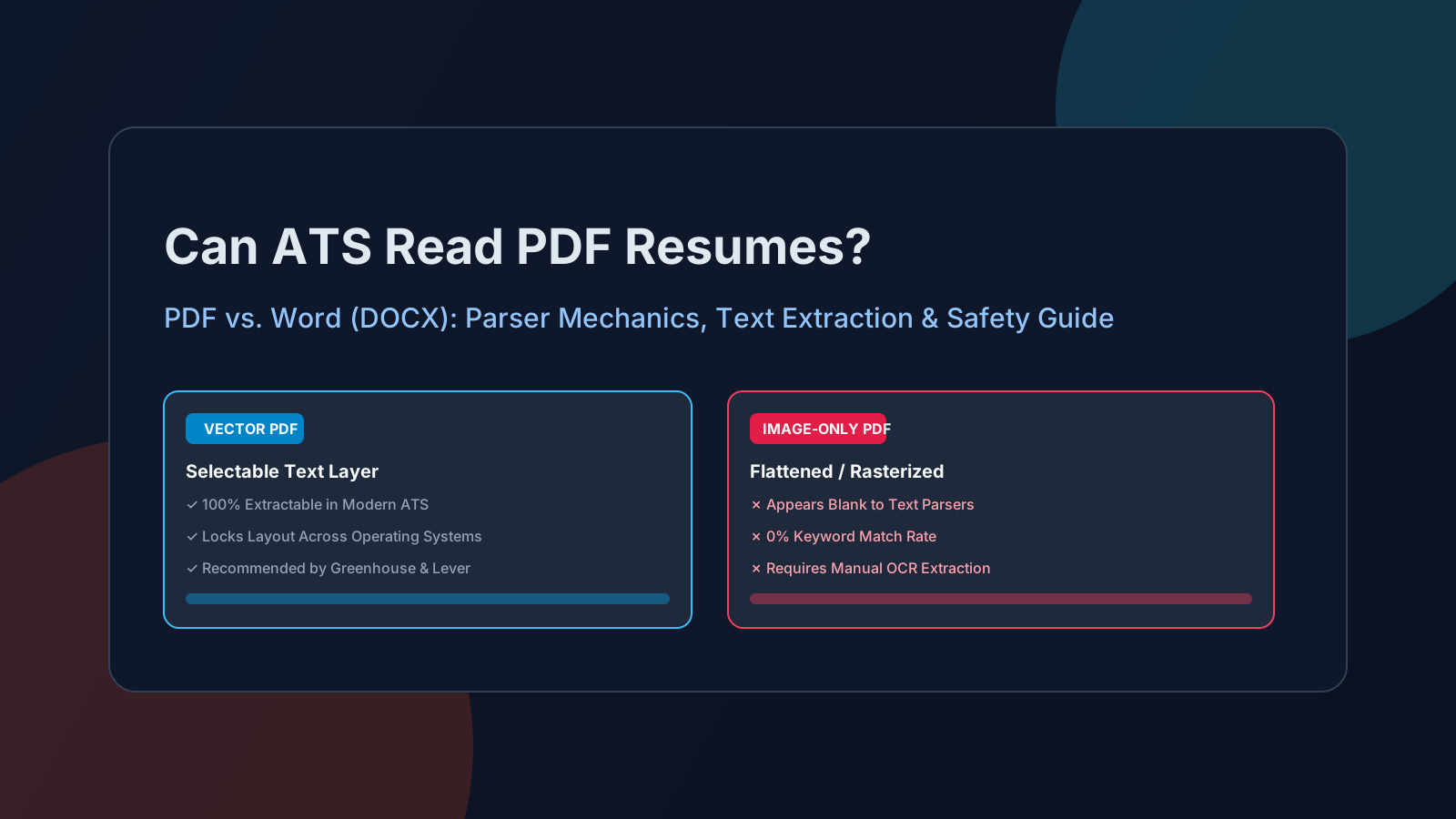
The short answer today is simple: Yes, modern Applicant Tracking Systems (including Workday, Greenhouse, Lever, and iCIMS) can read PDF resumes without issue—provided the file contains a selectable vector text layer.
However, submitting the wrong type of PDF remains one of the leading causes of silent resume rejections. When an ATS parser encounters a flattened, image-based PDF, it extracts zero words of text, resulting in an empty database profile and an automatic disqualification.
In this guide, we break down how ATS parsers actually process PDF files, the critical differences between vector and rasterized PDFs, what official ATS vendors recommend, and how to test your own document in five seconds.
How ATS Parsers Actually Process PDF Files
An Applicant Tracking System does not "view" your resume visually like a human recruiter does. Instead, it runs the uploaded document through a parsing engine (such as Sovren, RChilli, or native enterprise extractors).
Here is the exact technical sequence that happens the moment you click "Upload Resume":
[ Uploaded PDF ] ──> [ Text-Layer Extraction ] ──> [ Tokenization & Cleaning ] ──> [ Database Fields ]
        │                       │                             │                           │
        ▼                       ▼                             ▼                           ▼
  Binary Document        Extracts raw text          Strips formatting, font      Populates Recruiter
     Stream             stream & character glyphs     colors & layout boxes        Scorecard & Profile
- Text Extraction: The software inspects the PDF file stream for character codes and font mapping tables (
ToUnicodeCMap). - Text Normalization: The parser converts the text into a plain ASCII or UTF-8 linear string, stripping visual styling, background colors, and graphics.
- Entity Recognition & Dictionary Mapping: Algorithms scan the string for standard section headings (e.g., Experience, Education, Skills), date patterns (e.g., 2021 – 2024), job titles, and contact information.
- Candidate Database Population: The structured data populates candidate fields in the employer's dashboard.
- Recruiter Display: When the recruiter opens your candidate record, the system displays the structured data alongside an embedded visual preview of your original PDF.
Vector PDF vs. Rasterized PDF: The Critical Difference
The debate over whether ATS systems can read PDFs stems from confusing two completely different types of PDF files:
| Attribute | Vector PDF (Machine-Readable) | Rasterized / Image PDF (Unreadable) |
|---|---|---|
| How it's created | Exported from Google Docs, Microsoft Word, LaTeX, or CV10x ATS-Friendly Templates | Exported as flattened PNG/JPEG from Canva, Photoshop, Illustrator, or scanned paper |
| Internal structure | Digital text glyphs with character coordinates | A grid of colored picture pixels (bitmap) |
| Text Selectability | You can highlight, copy, and paste individual words | Highlighting selects the entire rectangular image |
| ATS Parse Result | 100% full text and keyword extraction | Blank document (0 words extracted) |
| ATS Match Score | Scored accurately based on qualifications | 0% match score; flagged as corrupted or empty |
VECTOR PDF:
"Senior Software Engineer" ──> [ 'S', 'e', 'n', 'i', 'o', 'r', ... ] ──> Parsed into "Job Title"

RASTERIZED PDF:
[ Pixel Grid: #FFFFFF, #1A1A18, #EDE9E2 ] ──> No characters found ──> Parse Failed
If you design a visually stunning resume in graphic software like Photoshop, Canva, or InDesign, and export it as an unflattened image PDF, the ATS sees a blank page. Unless the employer's ATS has integrated Optical Character Recognition (OCR)—which is computationally expensive, slow, and prone to letter substitution errors—your application will fail before a human ever looks at it.
What Official ATS Vendors Recommend (The Evidence)
Rather than relying on hearsay, let's examine what the largest enterprise ATS platforms state in their official candidate and developer documentation:
1. Greenhouse
In Greenhouse's official candidate portal support guide ("Supported formats for resumes, cover letters and candidate uploads"), Greenhouse explicitly lists:
.pdf(Recommended for preserving typography and layout consistency).docx/.doc(Microsoft Word).rtf,.txt,.odt
Greenhouse emphasizes that PDF is preferred by recruiters because Word files can shift margins, reflow lines, or display missing-font warnings depending on the recruiter's operating system (Mac vs. Windows).
2. Lever
According to Lever's Help Center ("Understanding Resume Parsing"), Lever accepts both PDF and Word files. Lever extracts raw text to index candidate skills for recruiter search queries, while simultaneously caching the original PDF for the hiring manager's review.
3. Workday
Workday processes millions of corporate applications each month. Workday's candidate portal natively parses PDF and DOCX files to pre-fill candidate profile fields (employment history, education, and skills). Furthermore, Workday's recruiter interface provides a built-in PDF viewer, allowing hiring managers to read your document exactly as you designed it.
PDF vs. Word (DOCX): Pros and Cons Comparison
When should you choose PDF, and when is DOCX better?
| Factor | Vector PDF | Microsoft Word (.docx) |
|---|---|---|
| Layout Integrity | Superior: Formatting, spacing, and page breaks are locked permanently. | Variable: Margins and fonts can distort across different Word versions, Macs, and mobile devices. |
| Accidental Editing | Protected: Recruiters cannot accidentally delete text or alter bullets. | Risk: Anyone viewing the document can accidentally modify or delete text. |
| ATS Compatibility | High: Universally parsed by modern ATS (if text layer is present). | High: Universally parsed; plain XML structure is easy for legacy parsers. |
| Visual Polish | Clean, professional presentation. | Prone to awkward page overflows or red spellcheck squiggles. |
| Best Used For | 95% of standard online job applications and direct submissions. | When a job posting explicitly states: "Please submit Word format (.doc/.docx) only." |
5 Practical Traps That Break PDF Parsing
Even when a PDF contains text, certain document structures can confuse ATS parsers:
1. Multi-Column Splitting
As detailed in our research on why two-column resumes get flagged by ATS, parsers read documents horizontally across the page stream. If your PDF has a left sidebar for skills and a right column for experience, an older parser may read line 1 of the sidebar directly into line 1 of your experience, scrambling your sentences:
Parsed Result: "Python Developed microservices React Managed 5 engineers"
2. Placing Contact Information in Document Headers or Footers
Many Word-to-PDF exporters place your phone number, email, and location inside Microsoft Word's native header or footer zone (w:hdr / w:ftr). Many ATS parsers automatically strip headers and footers to ignore recurring page numbers. When this happens, your contact details disappear entirely from the recruiter's scorecard. Always place contact details in the primary document body.
3. Decorative Icons and Emojis
Using telephone icons, envelope emojis, or linked symbols next to your contact info can corrupt the text stream. As covered in our guide on why icons and emojis kill ATS scores, parsers often interpret Unicode glyphs as private-use characters or unprintable question marks (e.g., 555-0192), breaking email and telephone extraction.
4. Nested Tables and Floating Text Boxes
Using invisible borderless tables or text boxes to align text causes PDF generation libraries to write fragmented text blocks out of chronological order. Always format sections with standard paragraph indents and tab stops rather than floating containers.
5. Font Encoding and Ligature Glitches
Certain decorative serif or script fonts merge character pairs like "fi", "fl", or "tt" into single typographic ligatures. In poorly encoded PDFs, an ATS parser reads the word "Efficiency" as "E ciency" or "E#*!ciency", missing critical keywords. Stick to standard, web-safe system fonts: Arial, Calibri, Helvetica, Georgia, or Garamond.
The 5-Second Clipboard Test: Is Your PDF ATS-Readable?
You do not need specialized software to verify if your PDF resume contains machine-readable text. Perform this simple manual test:
- Open your PDF resume in any web browser (Chrome, Edge, Safari) or Adobe Acrobat.
- Click and drag your mouse cursor across a line of text in your Work Experience.
- Press Ctrl+C (or Cmd+C on Mac) to copy the text.
- Open a plain text editor (Notepad, TextEdit, or an empty browser tab) and press Ctrl+V (or Cmd+V).
- Inspect the output:
- Pass: The text pastes cleanly with proper spacing and legible words.
- Fail (Image-Only): The cursor selects an entire image box, or pasting yields blank space.
- Fail (Corrupted Encoding): The pasted text looks like gibberish symbols, boxes (
□□□), or broken question marks.
Expected Pasted Output:
"Led cross-functional team of 6 engineers to deploy cloud-native payments API using TypeScript and Node.js."

Broken / Corrupted Output:
"L d cr ss-fun ti n l t m  f 6  ngin  rs t   d pl y cl ud-n tiv ..."
How to Test Your PDF Against Job Requirements
The clipboard test tells you if your document has selectable text, but it cannot tell you if your text contains the specific terminology required for your target role.
To audit both text extractability and keyword alignment, run your document through the free CV10x ATS Resume Checker.
Our scanner inspects your PDF's internal text stream, verifies section taxonomy headers, flags multi-column reading risks, and matches your experience directly against your target job description. You receive an instant compatibility score (0–100%) and actionable recommendations before you submit.
Summary Checklist: Submitting an ATS-Friendly PDF
- Use vector PDF: Export directly from Google Docs, Microsoft Word, or an ATS-optimized template. Never upload a scanned JPEG or flattened Canva image.
- Run the 5-second clipboard test: Confirm that your text can be copied and pasted as plain text.
- Keep contact details in the document body: Never place phone numbers or email addresses in Word's formal Header or Footer zone.
- Stick to single-column linear layout: Prevent parsers from interleaving sidebar skills into employment chronology.
- Spell out acronyms: Write "Project Management Professional (PMP)" to match both search variations.
- Follow employer instructions: If a job portal specifically requests
.docx, provide a clean Word file. Otherwise, submit a vector PDF to protect your formatting.
Frequently Asked Questions
Can ATS read PDF resumes in 2026?
Yes. Modern applicant tracking systems (including Workday, Greenhouse, Taleo, Lever, and iCIMS) parse PDF resumes accurately, provided the file has a selectable vector text layer. Over 90% of tech and corporate recruiters actively prefer PDF submissions because they preserve document design and margins across different computers.
Is Word or PDF better for ATS?
A vector PDF is generally better because it preserves your visual design for human recruiters while parsing cleanly in modern ATS engines. Microsoft Word (.docx) is a safe fallback, especially for older government portals or when an application specifically requests a Word document.
How do I know if my PDF is an image or text?
Open the PDF and try highlighting a sentence with your cursor. If you can highlight individual words and paste them into a text editor, your PDF contains digital text. If dragging selects the whole page or nothing at all, your resume is a flattened image and cannot be read by an ATS.
Does Canva create ATS-friendly PDFs?
By default, many Canva resume templates use complex layered text boxes, icons, and non-standard font embeddings that can scramble reading order or export as flattened graphics. If you use Canva, you must download the file as "Standard PDF" (not "Print PDF" with flattened layers) and verify it using the 5-second clipboard test.
What causes a PDF resume to parse as blank?
A PDF resume parses as completely blank when it is saved as an image rather than digital text. This commonly happens when candidates design a resume in Photoshop, scan a printed physical paper resume, or export from design tools with rasterization enabled.